
Nobody sent it.
It’s just three o’clock.
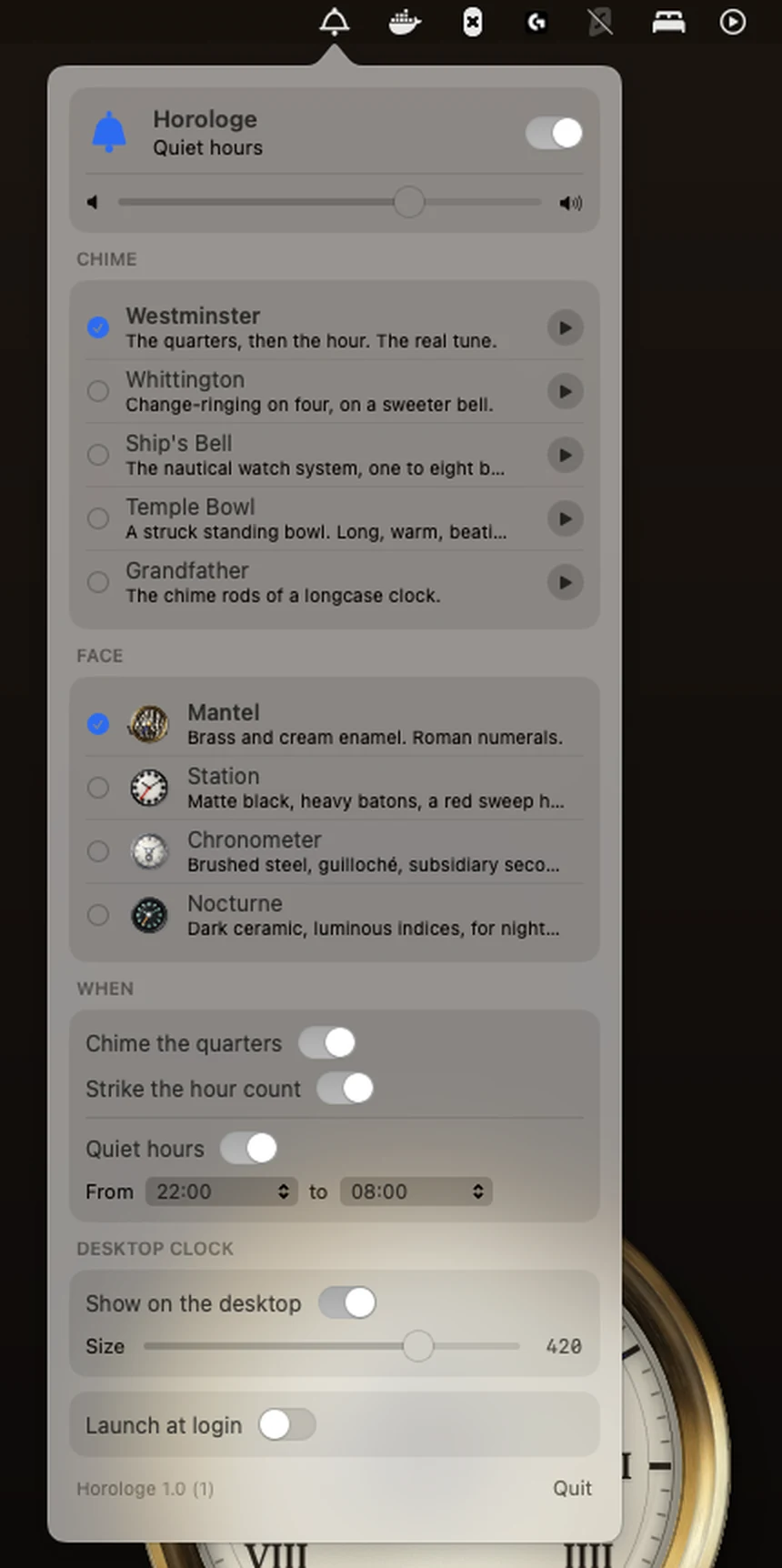
A desk clock for your Mac. It marks the quarters, strikes the hour, and otherwise keeps to itself.
Turn it up. A bell is mostly the part that comes after.
- macOS 15 or later. On the Mac App Store.
- Silent from 10 pm until 8 am. A right-click on the bell hushes it.
Before you buy
Horologe runs on your Mac, not on this phone.
It needs macOS 15 or later, so the store won’t open here. Carry this link to the Mac and it’s two taps: one to buy, one to run.

Another screen at hand? Scan to open this page there.
Four faces. Take the one your desk asks for.
Press one. The clock wears it for the rest of the page, and on your desk afterwards.
Every face is drawn in code, sharp at any size. The clock on this page is the clock you get.
Five bells. Press one.
Our honest advice for the first week: hour strike only, volume low.
Horologen. — a timepiece; any instrument for telling the hour.
- Version
- 1.0 (1), com.tryhorologe.app
- Faces
- four, drawn in SwiftUI.
- Bells
- five, by modal synthesis.
- Level
- desktop — in front of your wallpaper, behind your windows.
- Materials
- none.
- Weight
- 3,552 KB — about 3.5 MB.
- Permissions
- none. Network: none. Account: none.
- Price
- $5.99, paid once.
Three o’clock is coming either way.
You’ll spend the afternoon at this screen regardless. The only question is whether anything marks it.
Nothing renews, nothing expires, nothing phones anywhere for permission to ring. Apple takes the payment; we never see a card.
From the journal
- 28 October 2026iClock and Horologe: which one you want
- 26 October 2026Quiet hours: why the clock is silent at night
- 15 October 2026"Five bells, one desk: choosing your chime"